What if every git commit was just a folder you could browse?
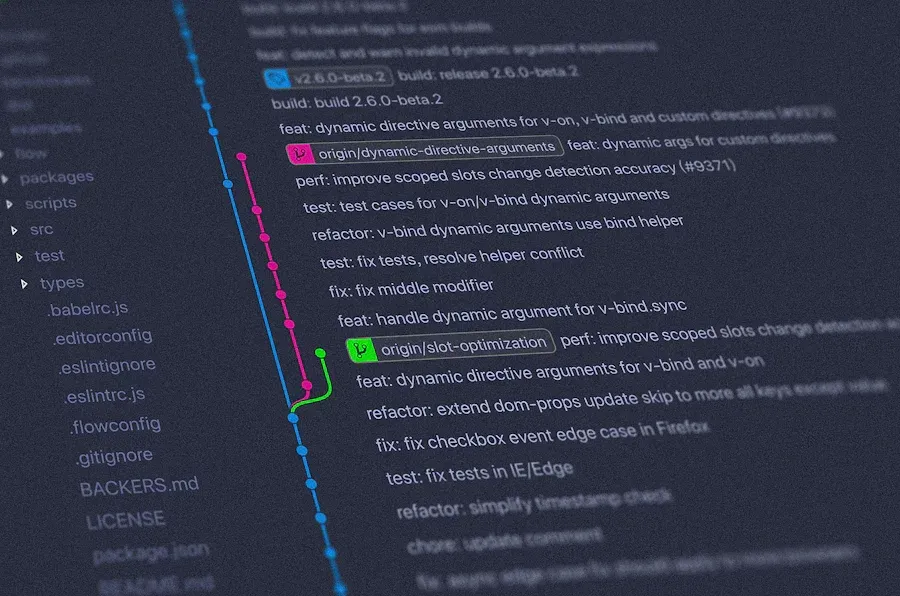
Every time I need to look at a file from a different git branch, I do the same embarrassing dance. Open my notes. Search “how to git show file other branch.” Find a Stack Overflow answer from 2011. Copy the command. Misread the colon syntax. Get an error. Try again. Eventually get the file, feel vaguely defeated.
I’m not bad at git. I just can’t remember git show other-branch:path/to/file.go on command. My brain refuses to retain it.
Julia Evans apparently had the same problem - and instead of writing a cheatsheet, she built an NFS server.
The core idea: commits are folders; let’s make that literal
Git commits really do work like directories. Every commit points to a tree object which is just a recursive listing of files and subdirectories. The only reason you can’t browse ~/.git like a filesystem is that git stores everything packed into binary objects to save disk space.
git-commit-folders removes that abstraction. Run it against a repo and it mounts a virtual filesystem where every commit hash becomes an actual directory:
$ ls commits/8d/8dc0/8dc0cb0b4b0de3c6f40674198cb2bd44aeee9b86/
README

$ ls commits/c9/c94e/c94e6f531d02e658d96a3b6255bbf424367765e9/
_config.yml  config.rb  Rakefile  rubypants.rb  source
Branches and tags are just symlinks pointing at commit directories:
$ ls -l branches/
lrwxr-xr-x  main -> ../commits/04/043e/043e90debbeb0fc6b4e28cf8776e874aa5b6e673
lrwxr-xr-x  feature-x -> ../commits/91/912d/912da3150d9cfa74523b42fae028bbb320b6804f
Now that “look at a file on another branch” problem becomes:
vim branches/other-branch/go.modNo git syntax. Just a file path.
Why this is actually useful (even if git grep exists)
Julia is upfront that none of this is the most efficient way to do things. git show, git log -S, and git grep all exist. But:
| Task | Git way | Filesystem way |
|---|---|---|
| Find a deleted function | git log -S 'funcName' --all -- file.go | grep -r funcName branch_histories/main/*/file.go |
| Browse a file on another branch | git show other-branch:path/to/file | vim branches/other-branch/path/to/file |
| Search all branches for something | git grep pattern $(git branch -a) | grep -r pattern branches/*/commit.go |
The git commands are more powerful - you can filter by date, author, patch content. But the filesystem approach requires zero git syntax recall. Every tool you already know (grep, find, diff, vim) just works.
The engineering was not trivial
Julia wanted this to work on macOS without requiring a kernel extension. That ruled out FUSE (which needs a kext). The two remaining native macOS filesystem protocols were WebDAV and NFS.
She tried WebDAV first. Go’s standard library has a WebDAV implementation. Seemed promising. Then she hit the wall: x/net/webdav uses io/fs, and io/fs doesn’t support symlinks. Branches would have to be real directories, not symlinks, which breaks the whole mental model.
So: NFS. NFSv3 specifically, via the go-nfs library.
The resulting engineering log is nine problems deep:
- Problem 3 (listing millions of commits): organized by 2-char prefix, like how
.git/objectsworks, then cached all packed commit hashes in memory. Works on the Linux kernel’s ~1 million commits. Takes about a minute on first load, fast incremental updates after. - Problem 4 (“Not a directory” errors): these were NFS’s way of surfacing any directory listing error, not literally a wrong type. Required Wireshark to diagnose.
- Problem 5 (inode numbers): Julia accidentally set every directory inode to 0.
findnotices when every directory has the same inode and refuses to recurse, correctly assuming a filesystem loop. - Problem 6 (stale file handles): still unresolved. NFS needs to map 64-byte opaque handles to the right files and the go-nfs library uses a fixed-size cache that overflows on large repos.
This is what I like about Julia’s writing: she doesn’t clean up the failure modes. The post reads like a debugging log, and the things that didn’t get fixed are still in the list.
Why HN resurfaces this in 2026
The submitter (pvtmert) said it clearly:
“Given the advent of LLMs and agentic coding, I believe this article needs re-visiting as it makes it much more discoverable to compare individual files across commits.”
This is the real angle. An AI coding agent doesn’t struggle with git show syntax - but it does struggle with arbitrary git plumbing calls that aren’t well-represented in training data, or that require parsing binary output. A plain filesystem that any tool can read is a much simpler interface for an agent navigating code history.
The HN thread also surfaced that ClearCase (the enterprise version control system that predates git) had something similar: you could access foo.c@@/versions/5 as a literal path. Fossil’s fusefs subcommand does this too.
And one commenter, steveBK123, summarized the skepticism in three words:
“NFS.. stop right there”
Valid. NFS is famously the source of weird edge cases. But given that the alternative is either FUSE with a kext or not-building-this-at-all, Julia’s choice tracks.
Who should try this
Read the original if:
- You write tools that navigate git history programmatically
- You’re interested in how git’s object model maps to a filesystem structure
- You build AI coding tools and are thinking about how agents access code context
- You are a Julia Evans fan and want to watch someone carefully document nine ways NFS is annoying
Probably skip if:
- You already have
git showandgit log -Sin muscle memory - You need production-grade access to git history (there are better VFS tools for that)
- Your repo has millions of commits and you don’t want a 1-minute startup wait
The project is experimental and Julia says so. But experimental tools that teach you how something works are often the best kind.
Discussion on Hacker News · Source: jvns.ca · Submitted by pvtmert
Hoang Yell
A software developer and technical storyteller. I read Hacker News every day and retell the best stories here — in English and Vietnamese — for curious people who don't have time to scroll.